
How can Strive help your team today?
Strive maps skills to roles, builds courses with AI and links learning to the KPIs you already track.
Your question is processed by an AI service. Please do not enter personal data. Privacy policy
One loop, five steps
These are real screens from the Strive app, not mock-ups. The small numbers point at the part worth a look.
Plan the training and assign it
Build modules from quizzes, video, SCORM, offline sessions, webinars and links. Group them into programs and assign them to people, teams or departments.
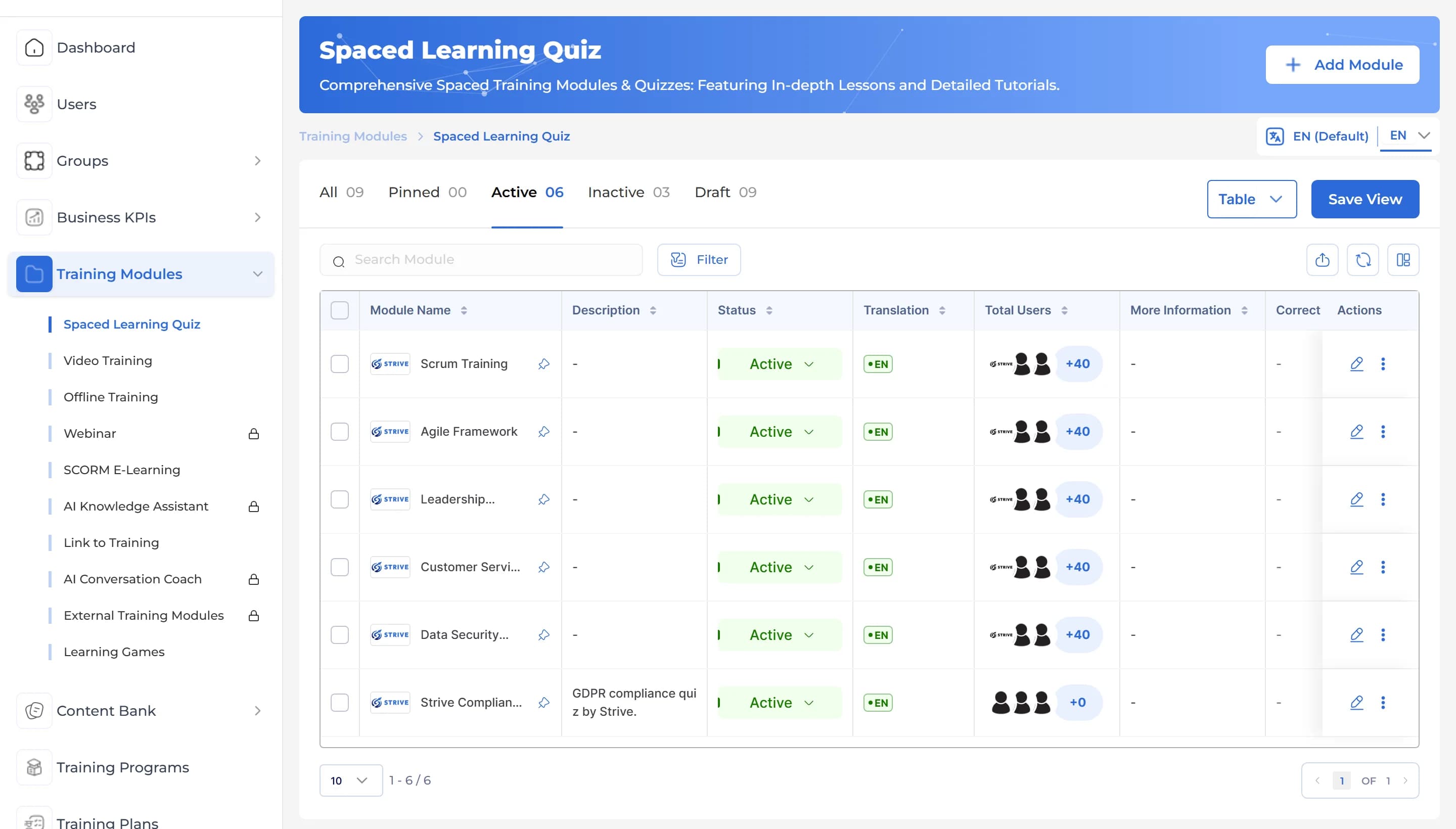
Fig. 1Training modules, active spaced learning quizzes 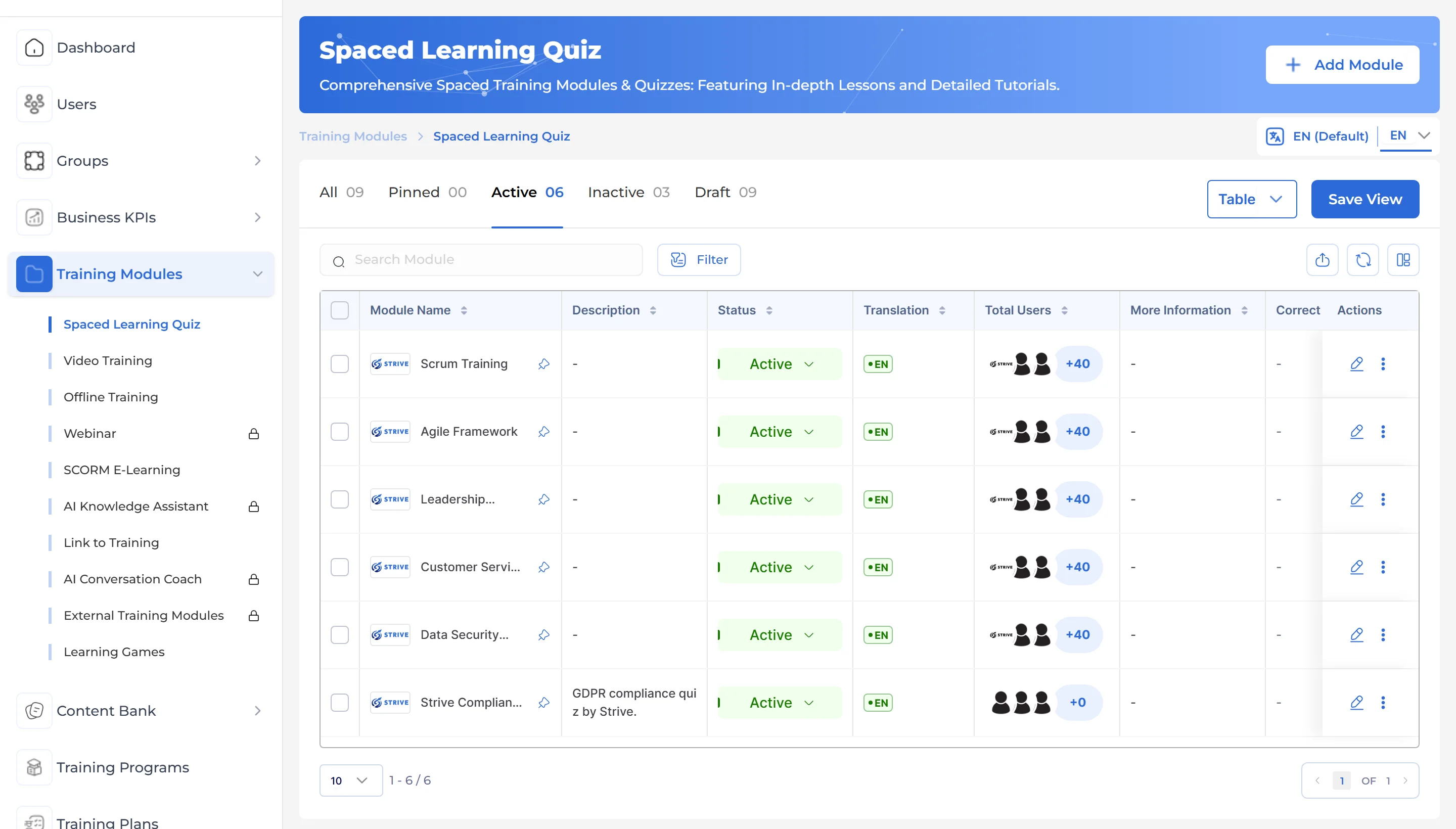
Detail of callout 3 - Pick the kind of module: quiz, video, SCORM, offline session and more.
- Add a module, then group modules into a program.
- Keep each module in draft, active or paused.
- See how many people each module reaches.
Map skills to every role
Set up a competency framework with levels, build job profiles by sector, and see which training each role needs.
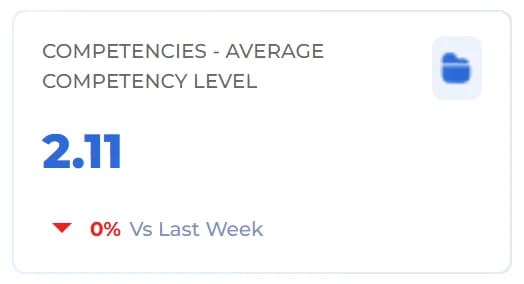
Fig. 2Admin dashboard, competency tile - The average competency level of your people, tracked on the admin dashboard.
Finally a skills number, not just a list of finished courses.
Let AI build the course
Describe a topic or upload a file. Strive drafts a SCORM course with modules and questions, and you review it before it goes live.
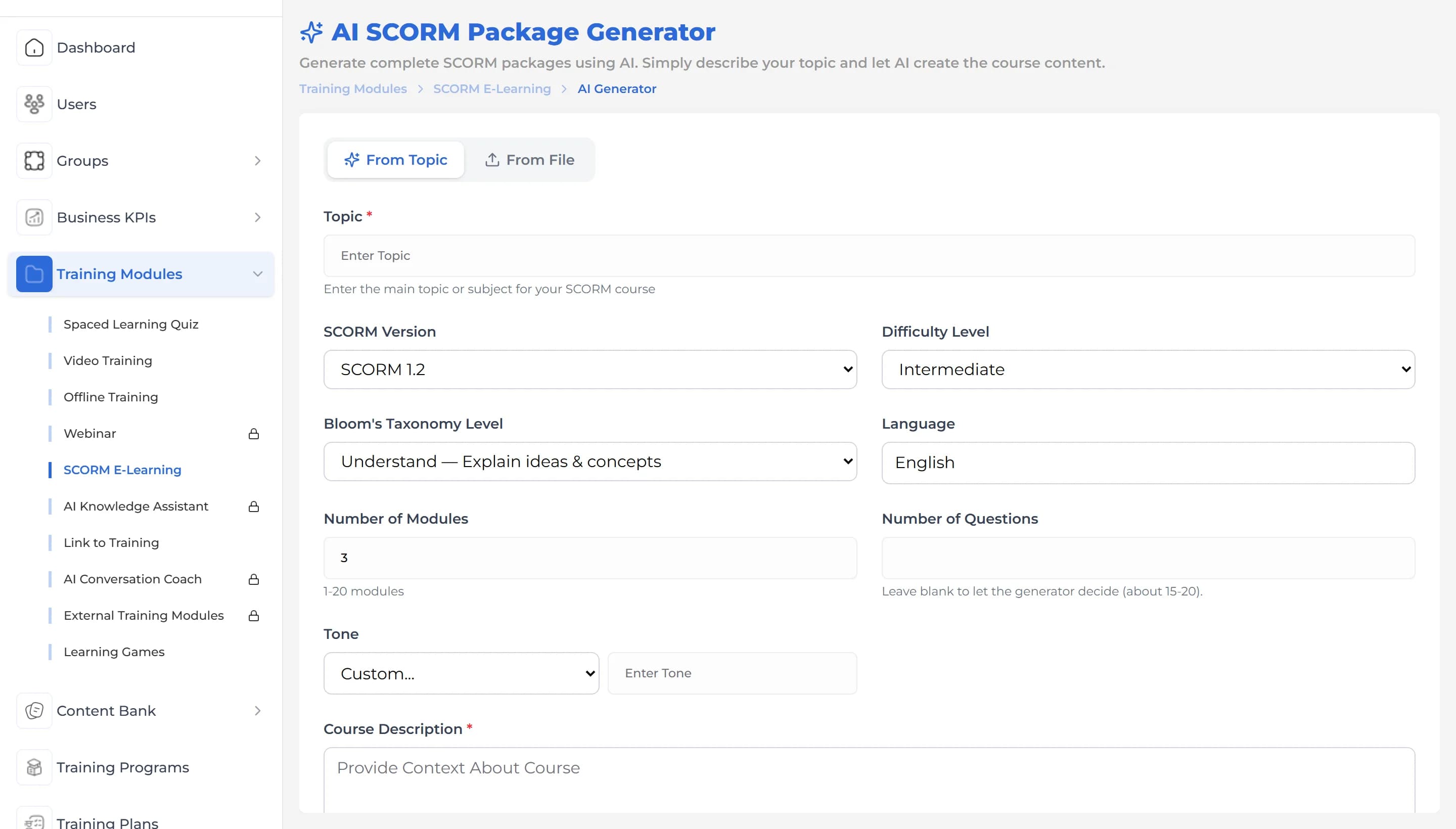
Fig. 3AI SCORM package generator 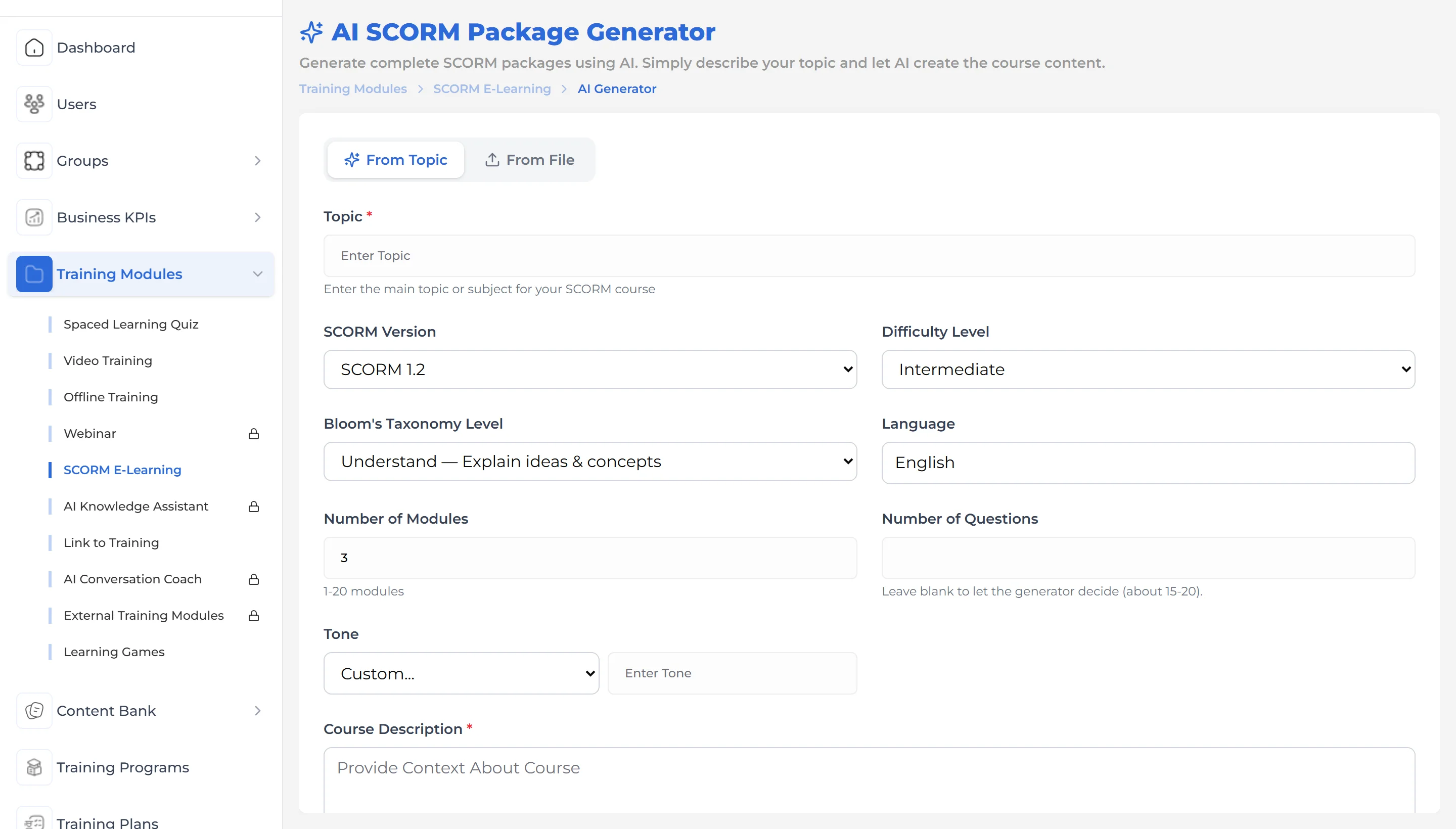
Detail of callout 3 - Start from a topic or from your own file.
- Set how deep the learning goes with Bloom’s levels.
- Generate the course in your learners’ language.
- Choose how many modules and questions you get.
You still check every question before it goes live.
Keep learners coming back
Learners see what is due, repeat what they are about to forget, and earn points, badges and rewards along the way.
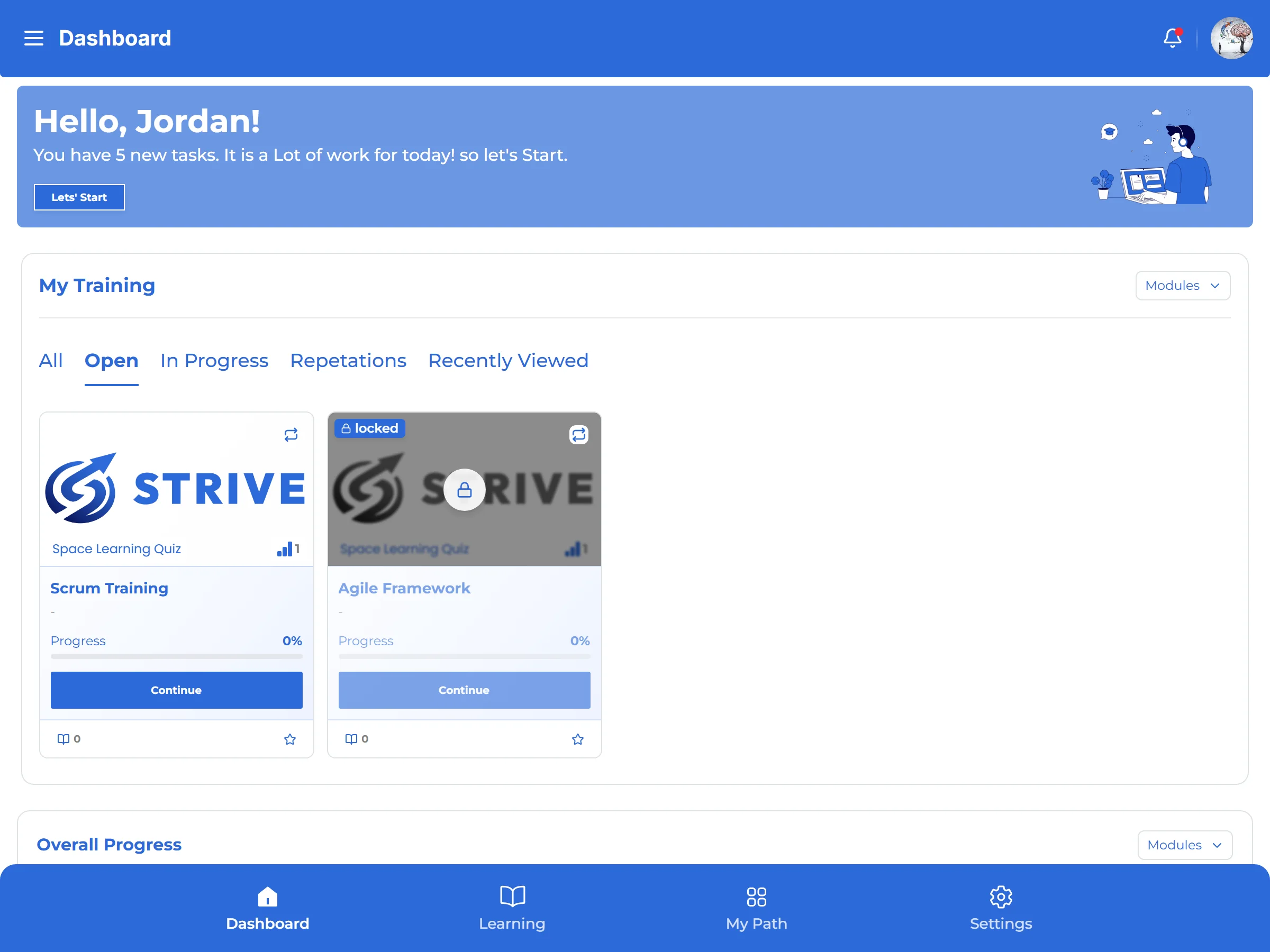
Detail of callout 2 - Each learner sees what is due today.
- Repetitions bring back what is about to be forgotten.
- One click takes a learner back into a module.
- Rankings, badges and rewards live in My Path.
Spaced repeats are where the learning sticks.
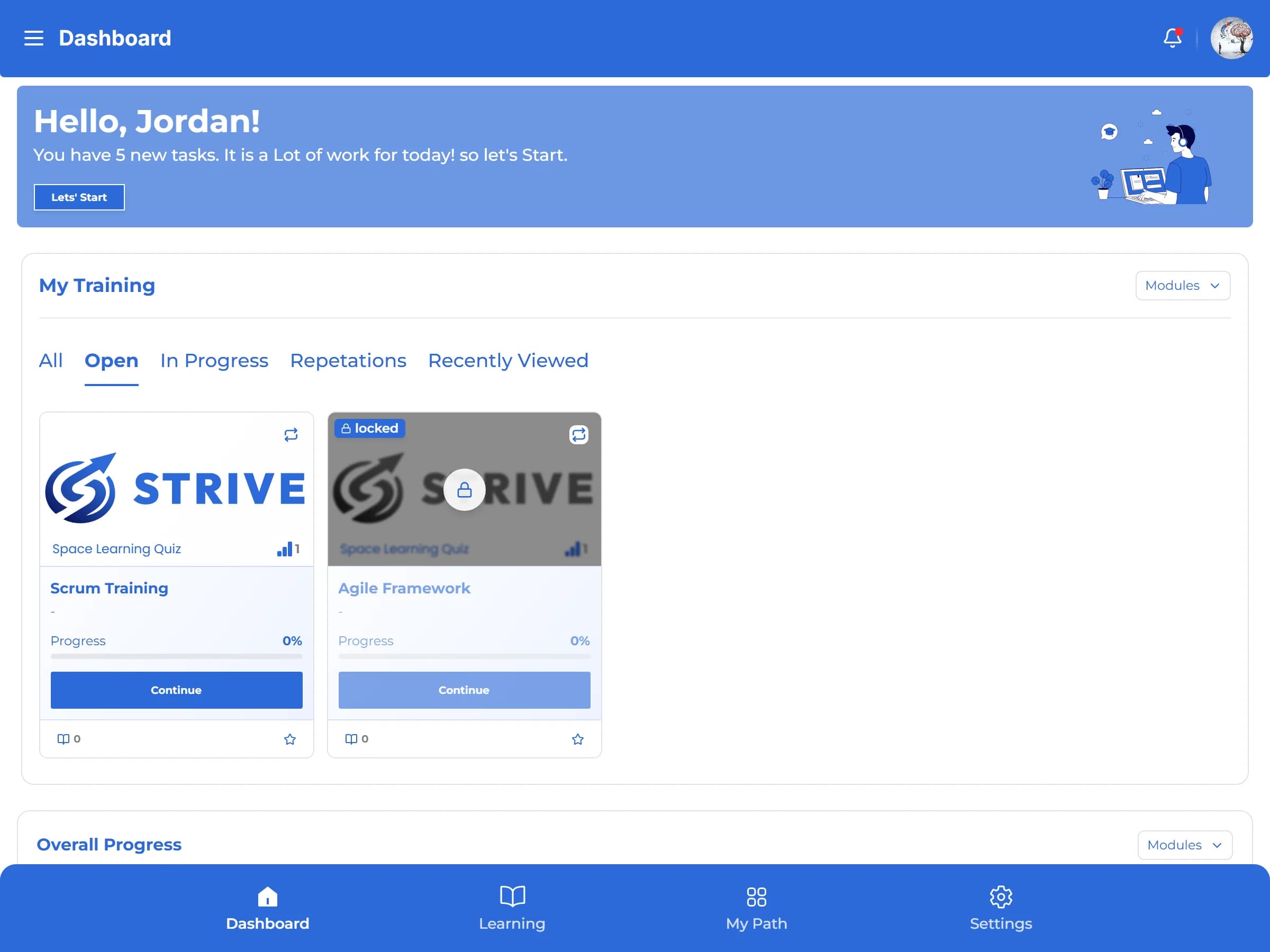
Fig. 4Learner app, home screen with open modules See what the training changed
Reports show progress, retention and drop off for every module. Impact analysis links training to the business KPIs you already track.
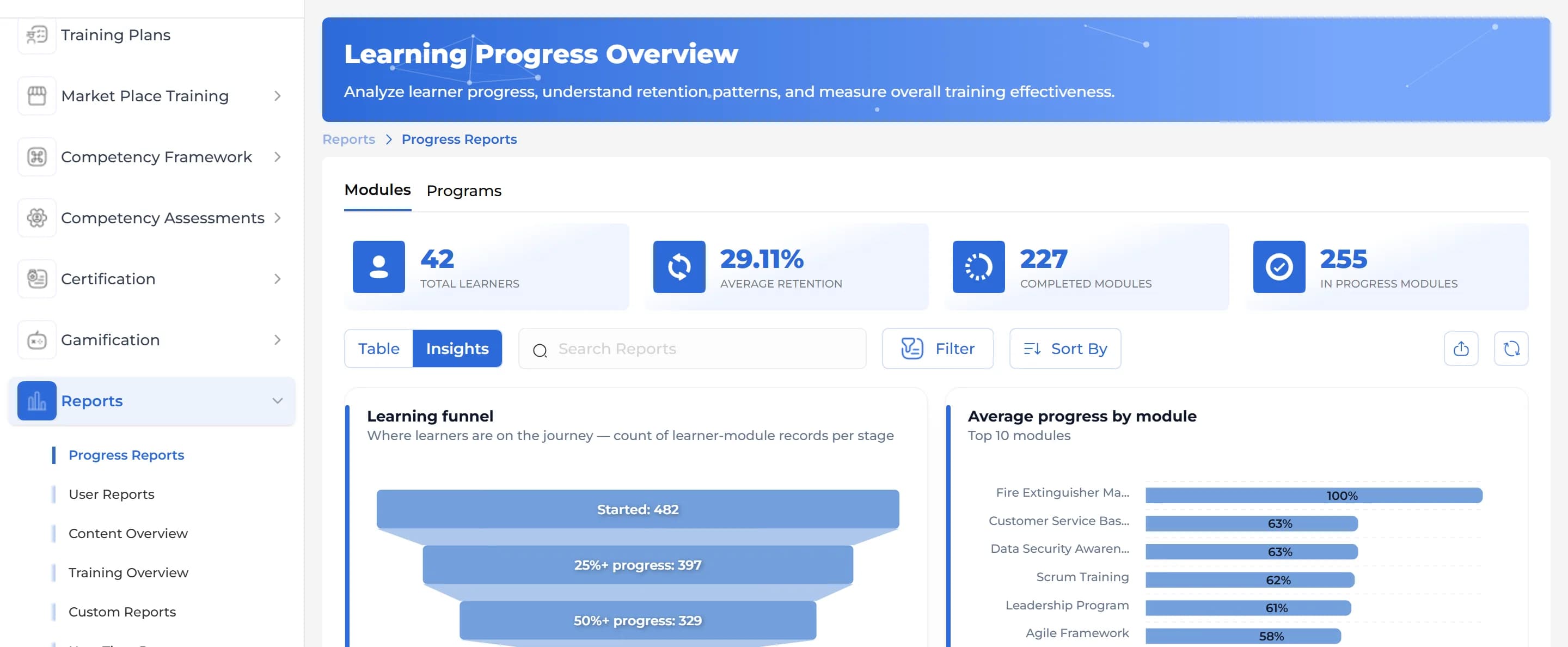
Fig. 5Progress report, insights view 
Fig. 6Impact analysis setup 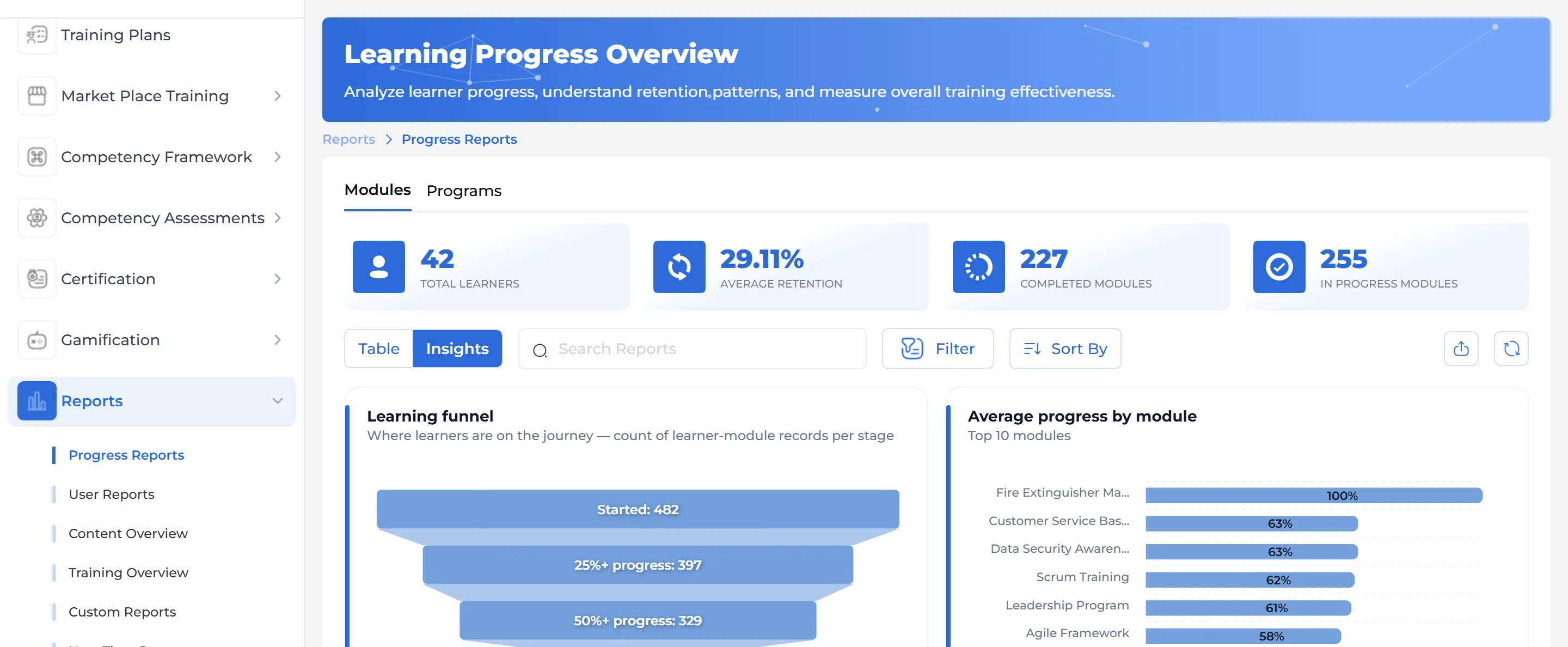
Detail of callout 1 - Retention, not only completion.
- See how far learners get, stage by stage.
- Compare modules side by side.
- Impact analysis pairs training data with the output KPIs you upload or select.
This is the bit your managers will love.
Plans that grow with your team
Start small. Move up when you need more learners, AI credits or reports.
- Custom Dashboard Builder
- Individual Users
- Custom Groups
- Departments
- Teams
21 more features in the comparison
1 admin seat and 10 learner seats
Everything in Strive Starter, plus:
- Advanced Permissions
- Strategic Goals
- Incident Log
6 admin seats and 2 learner seats
10 AI credits per month
Everything in Name, plus:
- Custom Dashboard Builder
- Individual Users
- Departments
- Teams
- Video Training
27 more features in the comparison
2 admin seats and 100 learner seats
Everything in Testing package, plus:
- Custom Dashboard Builder
- Individual Users
- Custom Groups
- Departments
- Teams
46 more features in the comparison
4 admin seats and 500 learner seats
20 AI credits per month
Strive Performance
€8,000
/month
Get started
For an established company training people across many roles.
Everything in Strive Momentum, plus:
- AI Knowledge Assistant
- AI Conversation Coach
- Link to Training
- External Training Modules
- Select Framework
14 more features in the comparison
10 admin seats and 2,000 learner seats
200 AI credits per month
Everything in Strive Performance, plus:
- Strategic Goals
- Operational Targets
- Initiatives and Measures
- Import Results
- White Labeling
20 admin seats and 10,000 learner seats
2,000 AI credits per month
Questions before you start
Straight answers on plans, hosting, languages and signup.
Is there a free plan?
Yes. Starter is free and needs no card. One admin gets spaced learning quizzes, video training, points and rankings. When you need more seats, AI credits or features, move to a paid plan.
How are paid plans billed?
Monthly, or yearly where the plan offers it. You pay through Stripe at the last step of signup. Your company account is created as soon as the payment goes through.
Where is our data stored?
You choose when you sign up: standard hosting, Europe (Germany) or Asia (Singapore). Your company data stays in that region. Choose carefully, because it cannot be changed later.
Which languages does Strive support?
Pick a main language for your learners at signup, then add the other languages they can switch to. This website is in English, German, Vietnamese, Spanish and Chinese.
How does signup work?
Four short steps: your account (we send a 6 digit code to confirm your email), your company, language and hosting, then your plan. A Starter account is ready the moment you finish.
Set up your company today
Signup takes a few minutes. Start on Starter for free and invite your team when you are ready.